Why Do So Many People Confuse Dedicated IPs and Residential IPs?
The confusion stems from proxy IP industry naming conventions. Many vendors place "dedicated IPs" and "residential IPs" at the same menu level on product pages, giving users the impression that they're two parallel IP types.
In reality, these two concepts belong to different classification dimensions. An analogy: if an IP is a hotel room, "dedicated vs shared" describes "single room or shared room," while "residential vs datacenter" describes "is that room in a residential neighborhood or a commercial building." The two dimensions are independent—they don't substitute for each other.
Industry data shows that about 60% of enterprise-grade collection failures trace back to dimensional confusion during IP selection—either treating a shared residential IP as if it were dedicated, or using dedicated datacenter IPs in scenarios that actually need residential IP type.
What's the Core Difference Between Dedicated and Shared?
Dedicated IP means an IP address is used by only one user or one business task within the same time window.
Shared IP means multiple users or multiple tasks use the same batch of IPs simultaneously.
| Dimension | Dedicated IP | Shared IP |
|---|---|---|
| Users | Single user/task | Multiple users/tasks |
| IP purity | High (only affected by your own behavior) | Uncontrollable (affected by other users) |
| Cost | High | Low |
| Available IP count | Limited | More |
| Usage cycle | Usually held long-term | Usually allocated per session or per time window |
The core advantage of dedicated mode isn't "faster" or "more stable"—it's controllable IP purity. In shared mode, if other users in the same pool generate anomalous traffic, the IP gets flagged by the target site and drags down every user sharing it. That's why in scenarios with extreme purity requirements—credit inquiries, procurement/bid data—dedicated is a hard requirement.
But dedicated isn't universally optimal. Dedicated IP supply is limited, and if your business needs to rotate thousands of IPs daily, dedicated mode can't keep up on cost or supply. In these scenarios, rotation frequency itself is part of the IP-maintenance strategy—short-lived, disposable IPs actually fit shared mode better.
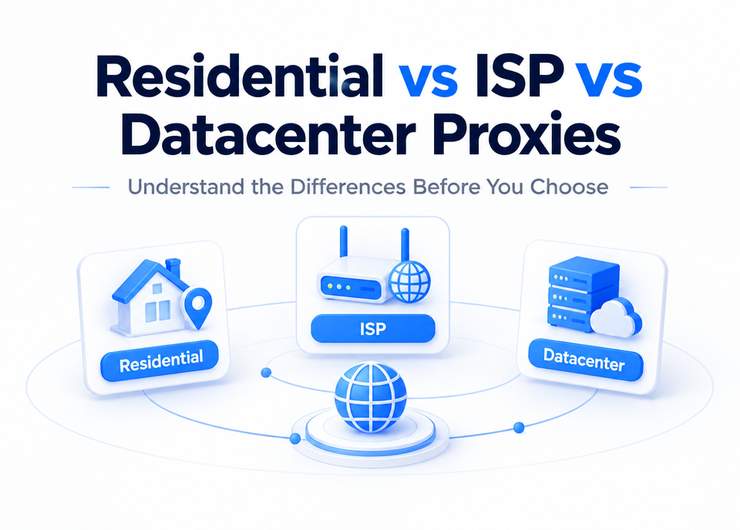
How Do Residential and Datacenter IPs Differ at the Working-Principle Level?
Residential IP Source and Path
Residential IPs come from address ranges that ISPs allocate to home broadband subscribers. When a request routes through a residential proxy, the packet path is:
Collection server → Proxy vendor → ISP residential network node → Target site
What the target site sees is a request originating from a real home-broadband egress, tagged "residential" in IP type databases.
Residential IPs are acquired in two main ways: direct partnerships with ISPs to obtain unused address ranges, or P2P networks aggregating real users' idle bandwidth. Both produce IPs with the same type tag, but they differ on stability and compliance—IPs from direct ISP partnerships are more stable and more compliant.
Datacenter IP Source and Path
Datacenter IPs come from address ranges assigned to hosted servers by data centers or cloud providers. The request path:
Collection server → Proxy vendor → Datacenter network egress → Target site
What the target site sees is a datacenter IP, tagged "datacenter" or "hosting" in IP type databases.
The core difference is IP type tagging. Current mainstream IP type identification databases achieve over 90% accuracy. If the target site has enabled IP type validation, a datacenter IP will be identified as a non-real-user origin. That doesn't mean datacenter IPs are always restricted—it means their probability of being flagged is higher in scenarios with IP type validation.
How Many Modes Do the Two Dimensions Create Once You Cross Them?
Four combinations, each with its own scenario fit:
| Combination | Signature | Typical Fit | Cost Tier |
|---|---|---|---|
| Dedicated + Residential | Highest purity, safest type | Credit inquiries, procurement/bid data, high-compliance scenarios | Highest |
| Dedicated + Datacenter | High purity but type is identifiable | Website scrapers (target doesn't validate IP type) | Medium-high |
| Shared + Residential | Safe type but uncontrollable purity | Sentiment monitoring (large-scale rotation, short per-IP usage) | Medium |
| Shared + Datacenter | High volume, low price, but both dimensions carry risk | Public data collection, non-sensitive targets | Lowest |
Key selection criteria:
- If the target site validates IP type (checks whether it's residential), pick residential
- If the target site doesn't validate IP type, datacenter is more cost-effective
- If the business demands high, traceable IP purity, pick dedicated mode
- If the business allows high-frequency rotation, use-and-discard, shared mode is cheaper
What Concrete Failures Come From Impure IPs?
Insufficient IP purity is the number-one cause of collection task failures. The concrete symptoms and impact chain:
Failure 1: Request rejected outright (HTTP 403)
Target sites maintain blocklists of known abnormal IPs. If the IP you're using was previously flagged by another user's abnormal traffic, new requests hit the blocklist directly. This is especially common in shared IP mode.
Failure 2: CAPTCHA page returned
The target site doesn't reject outright but returns a CAPTCHA challenge page. What the scraping script gets isn't the target data—it's a chunk of CAPTCHA HTML. Without content validation, this kind of failure can go undetected for a long time, causing large-scale data gaps.
Failure 3: Wrong data returned (silent failure)
The most dangerous case. After detecting the IP as anomalous, the target site neither rejects nor challenges—it returns redacted or wrong data. In sentiment monitoring, this means results may be completely inaccurate, but from the system logs everything looks fine.
Failure 4: IP permanently flagged
Sustained use of a contaminated IP range can get the entire IP prefix added to the target site's long-term watchlist. Even switching to other IPs in the same range afterward triggers restrictions by association.
Prevention self-check:
- Check IPs against reputation-lookup services for known blocklist entries before use
- Monitor each IP's request success rate; auto-switch when success falls below 85%
- Use different IP ranges for different business tasks to avoid cross-contamination
- Rotate the IP pool regularly; don't rely long-term on a small fixed set
- Validate response content, not just HTTP status codes
Which Combination Should You Use in Which Scenario?
| Scenario | Recommended Combination | Core Reason |
|---|---|---|
| Credit inquiries | Dedicated + Residential | Highest compliance requirement—both purity and type must pass |
| Procurement/bid data | Dedicated + Residential | Target platforms have high security tiers and strict source validation |
| Sentiment monitoring | Shared + Residential | Large-scale, multi-source, high-frequency rotation—residential type ensures access environment |
| Website scraper (public data) | Shared + Datacenter | Targets usually don't validate IP type; volume-at-low-cost is the core need |
| Website scraper (commercial platforms) | Dedicated + Residential | Commercial platforms validate strictly; purity and type are both non-negotiable |
| APP big-data analytics | Shared + Residential | Needs residential type to simulate real devices; high-frequency rotation controls cost |
FAQ
Q: Is a dedicated IP always better than a shared IP?
Not necessarily. Dedicated's edge is controllable purity, but if the business needs high-volume IP rotation, dedicated mode can't meet cost or supply requirements. In high-frequency rotation scenarios, shared IPs' "use-and-discard" strategy actually works better—each IP is used for so short a window that it's rotated out before it can be flagged.
Q: Do residential IPs never get restricted?
Residential IPs just have a lower probability of being caught by IP type validation—not "never restricted." If a single residential IP fires large volumes of requests in a short window, it still triggers frequency-based access controls. Residential IPs need to be paired with reasonable request rate and behavior patterns to actually deliver.
Q: How do you check whether an IP is clean?
Two main approaches: check via IP reputation-scoring services—lower score means more likely flagged; send test requests to the target site and observe whether normal content or a CAPTCHA is returned. Before formal use, spot-check each batch of IPs with at least 20% sampling.
Q: Do other users' behaviors in a shared IP pool affect me?
Yes. This is the biggest risk of shared mode. If other users in the same pool generate abnormal traffic and the IP gets flagged, every user sharing that IP is affected. When choosing a vendor, evaluate their pool isolation mechanism—whether IPs are grouped by business scenario, whether users in the same group have overlapping target sites.
Q: How many times more expensive is a dedicated residential IP than a shared datacenter IP?
Generally, a dedicated residential IP's unit price is 5-20x a shared datacenter IP's. But factoring in success-rate difference, in high-purity-required scenarios, the dedicated residential IP's "cost per successful request" can actually be lower. Compare composite cost during selection, not just unit price.
Q: Can you build your own residential IP proxy?
Technically possible but very difficult in practice. Building a residential IP proxy requires partnering with ISPs for address ranges, deploying distributed nodes, and maintaining network stability—both upfront investment and ongoing operations cost are very high. For the vast majority of teams, purchasing from a specialized vendor is the more sensible choice.
IP purity isn't a static attribute—it's a dynamic indicator that shifts with usage behavior. A brand-new IP can be flagged within hours under poor usage strategy; a previously flagged IP can recover after a sufficient cooldown period. Focusing on IP type and allocation model during selection is only step one—continuous IP-health monitoring and dynamic scheduling are the keys to long-term stability.