Authentication Isn't Arbitrary — It's Dictated by Your Deployment Architecture
A lot of developers treat proxy authentication as a "whatever connects" detail. In reality, the authentication method you pick directly determines three things: how flexible your integration is, how expensive it is to rotate or switch credentials, and how cleanly you can isolate permissions across teams.
Common consequences of picking the wrong one:
| Scenario | Wrong Choice | Result |
|---|---|---|
| Server egress IP changes often (serverless, containerized deployments) | IP Whitelist | Every IP change requires manual whitelist updates — high ops cost |
| Multiple business lines share one proxy account | Plain Username/Password without sub-accounts | No way to separate usage or permissions by team |
| Unattended automation scripts | Any method requiring manual password entry | Scripts stall, scraping jobs fail |
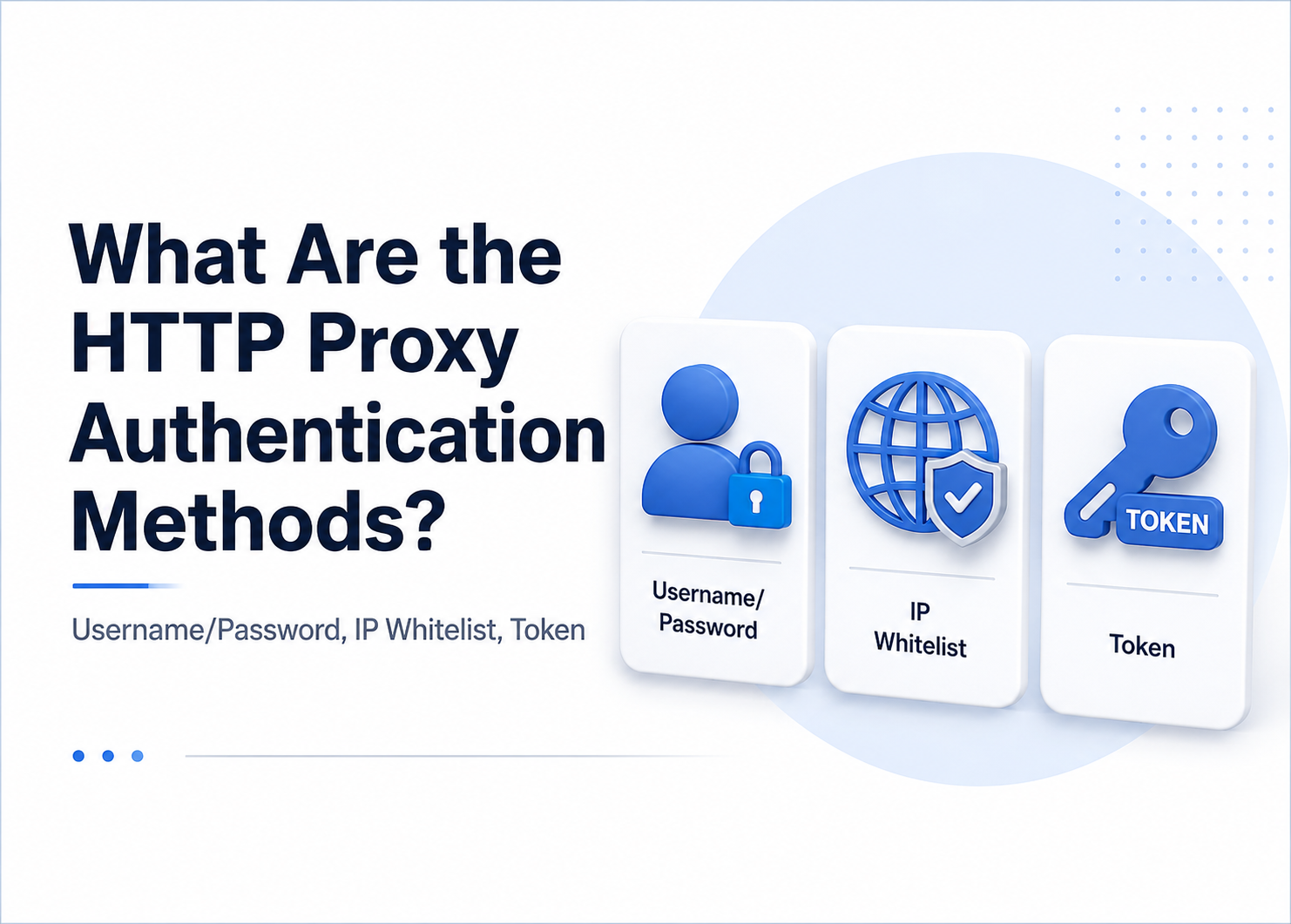
The fundamental difference between the three methods is "who proves the requester's identity": Username/Password relies on a credential string, IP Whitelist relies on the source IP, and Token relies on a pre-issued credential. Once you grasp that distinction, you can match the method to your architecture instead of fixing the choice later.
Username/Password Authentication: The Most Widely Compatible Standard
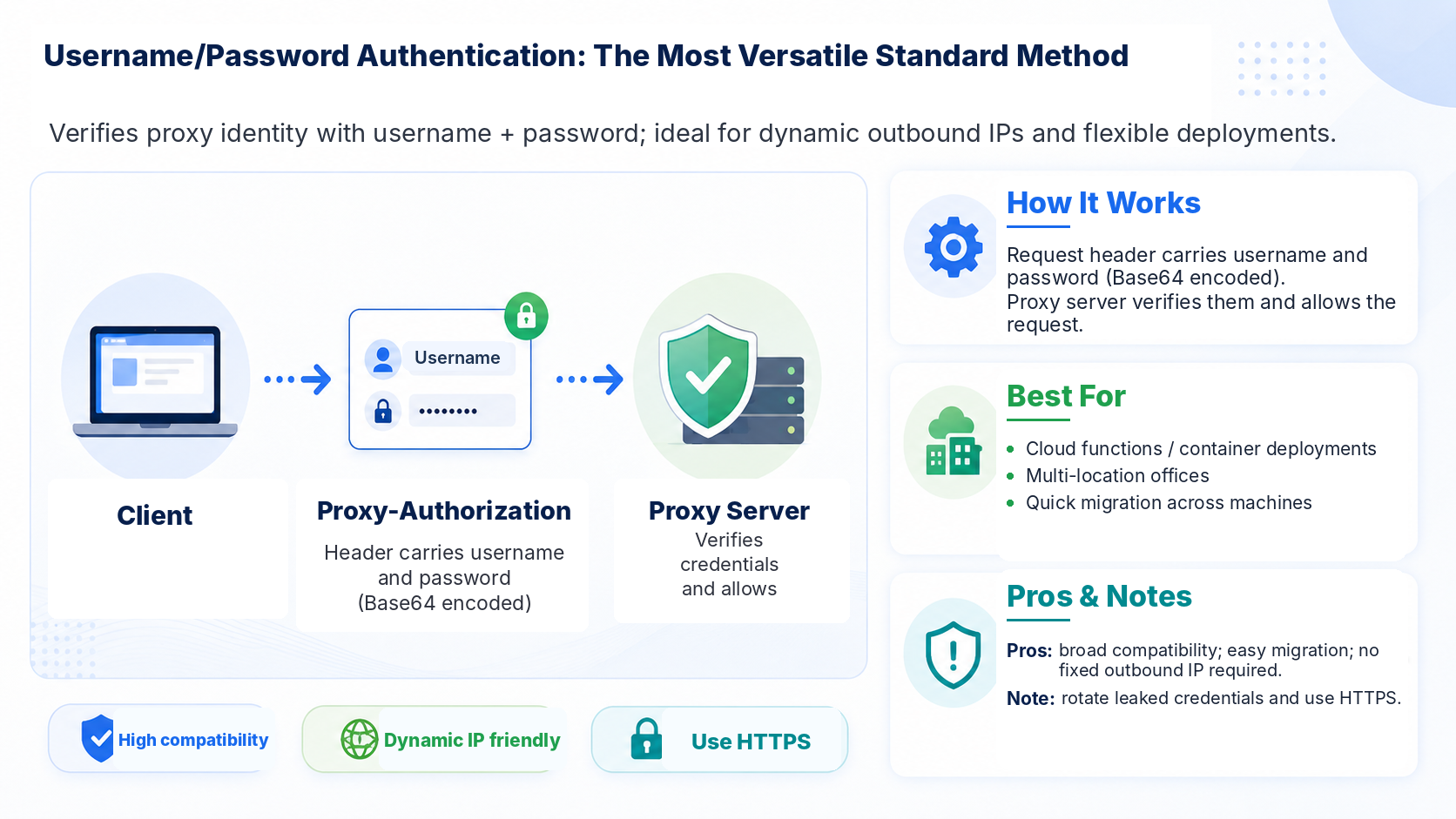
Username/Password authentication is the most universal HTTP proxy auth method and the default offered by nearly every proxy provider. The client puts a Proxy-Authorization header in the request, and the proxy server verifies it before forwarding.
How it works: The client Base64-encodes the username and password and sends them in an HTTP header. The proxy decodes and validates. For HTTPS tunneling, the same header is passed during the CONNECT handshake. Authentication happens within a single request — no client pre-registration required.
Compatibility at a glance:
| Deployment Profile | Fit | Notes |
|---|---|---|
| Dynamic egress IPs (serverless / containers / multi-location offices) | ★★★★★ | Credentials are decoupled from outbound IP — perfect for dynamic environments |
| Frequent migration between machines | ★★★★★ | Credentials travel with config files, not tied to machine identity |
| Multiple users sharing one credential set | ★★★☆☆ | Can't track individual usage without a sub-account system |
| Pure internal network with fixed egress | ★★★☆☆ | Works, but whitelisting is simpler |
Caveats: Base64 is encoding, not encryption. Over plain HTTP, the credentials can be intercepted by a man-in-the-middle. For enterprise-grade scraping, always pair username/password auth with HTTPS. QGNet supports HTTP/HTTPS/SOCKS5 across the board, so credential transport under HTTPS gets protocol-level encryption out of the box.
There's also an under-appreciated ops cost: if credentials leak, you have to change the password — and every client using it needs to be updated in sync. The more nodes you deploy, the larger the rollout burden becomes.
IP Whitelist Authentication: A Zero-Password Solution for Fixed Egress
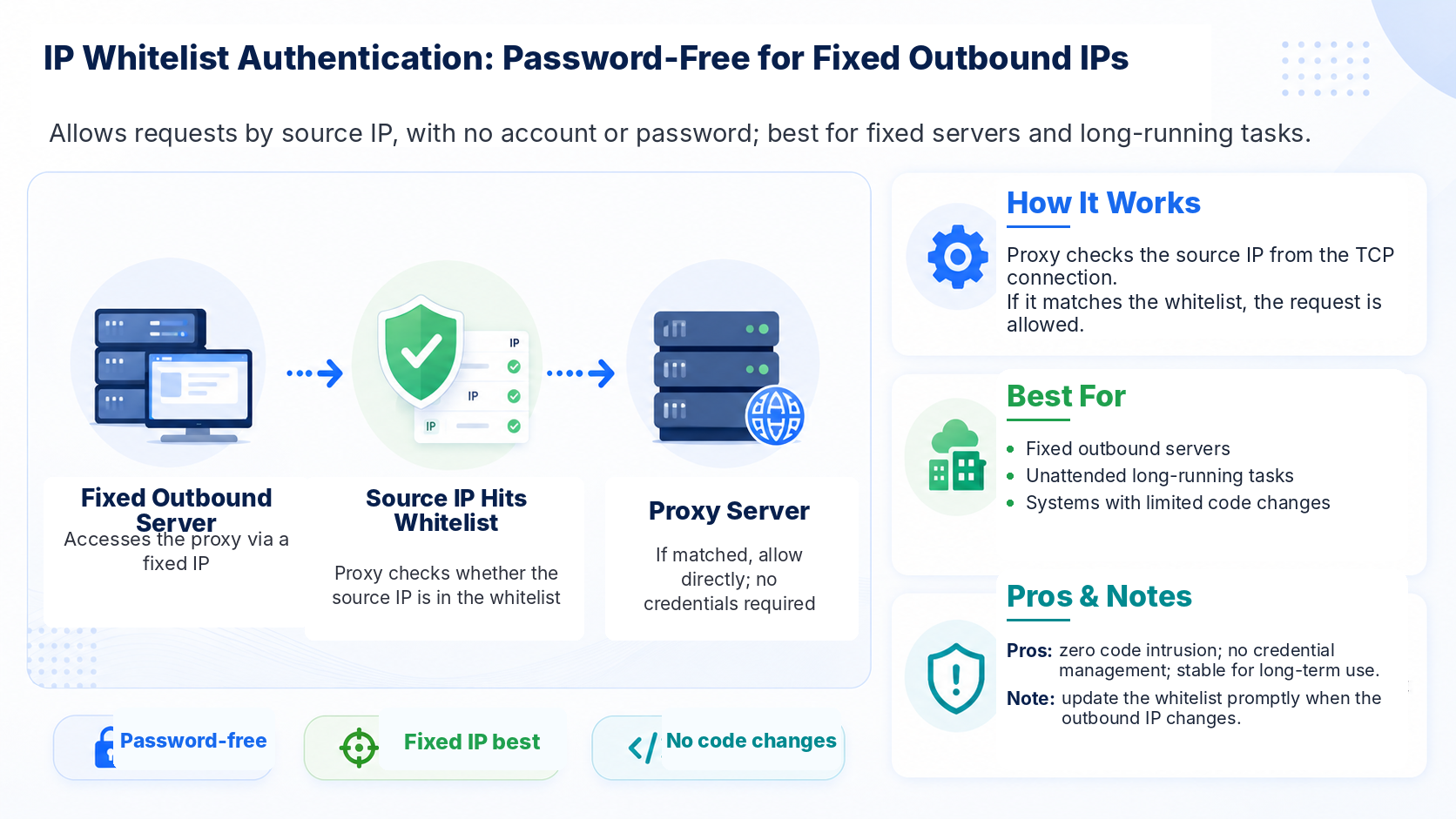
IP Whitelist is the simplest of the three. The proxy server registers a list of allowed client IPs in advance, then only checks the source IP of each connection. No credential fields needed.
How it works: The client sends no auth headers. The proxy reads the source IP from the TCP connection and checks it against the whitelist. Match → allow. No match → reject. Authentication is fully transparent to the client.
Biggest advantage — zero intrusion: Your client code doesn't need to add or manage any request headers. For long-running scrapers — site crawlers, public-opinion monitors — IP whitelisting eliminates per-request credential overhead and the code surface that comes with it.
Compatibility at a glance:
| Deployment Profile | Fit | Notes |
|---|---|---|
| Dedicated scraping servers with fixed egress | ★★★★★ | Set once, runs forever |
| Long-running unattended scripts | ★★★★★ | No credential expiry or rotation concerns |
| Volatile egress (NAT / DHCP / containers) | ★☆☆☆☆ | Whitelist breaks constantly — unsustainable |
| Distributed teams across multiple locations | ★★☆☆☆ | Every member's egress must be registered |
Caveats: Whitelisting depends entirely on egress IP stability. In environments like serverless functions or Kubernetes where the outbound IP isn't fixed, it's effectively unusable. QGNet's overseas product line includes 256 free whitelist slots, which suits multi-server clusters that need bulk registration — assuming each server's egress IP is stable.
In practice, whitelisting and username/password aren't mutually exclusive. QGNet supports both simultaneously, so businesses can mix and match — fixed servers use whitelisting to minimize code intrusion, while transient dev environments use username/password for flexibility.
Token Authentication: A Lightweight Method for API-Driven Architectures
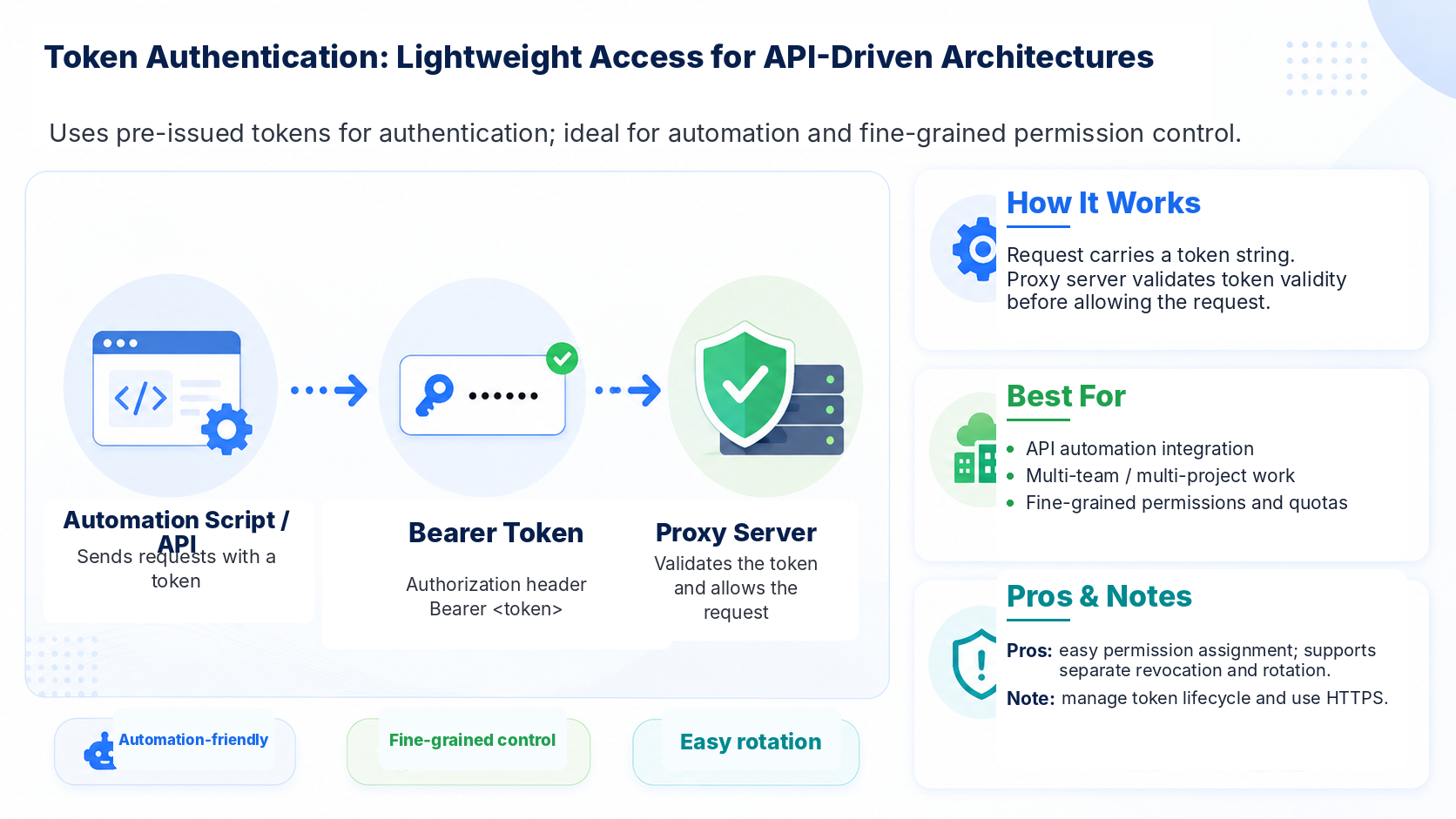
Token authentication (API Key / Bearer Token) has grown alongside the trend of API-first proxy services. The client sends a pre-issued token string in each request, and the proxy validates it before forwarding.
Key differences vs Username/Password:
| Dimension | Username/Password | Token |
|---|---|---|
| Credential shape | Username + password (two fields) | Single token string |
| Permission granularity | Usually tied to an account | Per-token permissions and quotas |
| Rotation cost | Changing the password affects every client using that account | Revoke individual tokens without touching others |
| Lifetime management | Typically long-lived, changed manually | Can have expiry, auto-invalidates |
Where it fits: Token auth is most common on proxy management APIs (fetching IP lists, configuring parameters, querying usage). Some providers also extend it to the proxy connection layer for fine-grained multi-team access control.
Caveats: Token authentication is less common at the proxy connection layer than at the API layer. Most major proxy vendors still rely on username/password and whitelisting for connection-level auth, with tokens mainly appearing in management interfaces. When evaluating providers, distinguish between "the proxy connection itself supports tokens" and "tokens are only supported on the management API."
Another hidden cost is token lifecycle management — issuance, rotation, revocation, and expiry cleanup all require supporting workflows. For small teams, that overhead may not be worth it.
Side-by-Side: The Three Authentication Methods
| Dimension | Username/Password | IP Whitelist | Token |
|---|---|---|---|
| Integration overhead | Modify request headers | Zero changes | Modify headers or URL params |
| Egress IP requirement | None | Must be fixed | None |
| Multi-user / multi-team isolation | Needs sub-accounts | Natural isolation by IP | Natural isolation by token |
| Security risk surface | Credential leakage (plaintext over HTTP) | Unintended authorization in NAT environments | Token leakage |
| Rotation impact | Global (password change hits every client) | None | Local (revoke one token) |
| Ops complexity | Low | Medium (update on IP change) | Medium (manage token lifecycle) |
| Connection-layer prevalence | ★★★★★ | ★★★★★ | ★★★☆☆ |
| Supports dynamic egress | ✅ | ❌ | ✅ |
| Supports fixed servers | ✅ | ✅ (best fit) | ✅ |
For enterprise use cases, QGNet supports both Username/Password and IP Whitelist authentication, covering the two most commonly required connection-layer methods. Customers can pick one or combine them based on deployment architecture.
How to Choose: Three Decision Criteria
You don't need to compare specs line by line. Three questions are enough:
Question 1: Is your egress IP fixed?
Fixed egress (dedicated scraping servers / IDC racks) → IP Whitelist is the obvious choice — zero code intrusion, zero credential management. Variable egress (serverless / containers / multi-location work) → Username/Password or Token.
Question 2: Do you need to isolate multiple business lines?
Parallel scraping pipelines (e.g., public-opinion monitoring + ad monitoring running concurrently) where you need to separate usage and permissions per team → Token (per-token isolation) or Username/Password + sub-accounts. Single pipeline → any of the three works; let Question 1 decide.
Question 3: How granular does your access control need to be?
Need scheduled credential rotation, per-project permissions, or expiry dates → Token offers the most flexibility. Standard security needs → Username/Password + HTTPS is already sufficient.
For high-volume scraping use cases like mobile-app data analysis or large-scale web crawling, where scrapers usually run on fixed-IP servers in IDC environments, IP whitelisting is the lowest-ops choice. QGNet's whitelist solution supports bulk import, and among the 95,000+ businesses and developers it serves, most fixed-server deployments use whitelisting as their primary auth method.
For workloads like public-opinion monitoring that need to span multiple regions and tasks in parallel, the egress environment is rarely fixed — Username/Password's universality wins out. QGNet's tunnel proxy product uses a single unified entry point with username/password auth, rotating the outbound IP automatically per request, decoupled from egress stability, which fits dynamic deployments well.
Authentication looks like the first technical step of integration, but it's really a mirror of your business architecture. Once you've locked down egress stability, team size, and permission granularity, the auth method picks itself. Get this choice right, and your scraping reliability and ops efficiency have a stable foundation to build on.
FAQ
Q1: Can Username/Password and IP Whitelist be used at the same time?
Yes, and it's recommended in enterprise scenarios. Use IP whitelisting on fixed scraping servers to skip credential management, and username/password in transient or local dev environments for flexibility. QGNet supports both auth methods simultaneously, so you can configure them per deployment node.
Q2: Is IP Whitelist actually secure? What about IP spoofing?
IP spoofing can't complete the full three-way TCP handshake, so it's largely impractical in real attacks. The real risk to watch is NAT environments: when multiple internal devices share one outbound IP, whitelisting authorizes all of them simultaneously. That isn't "spoofing" — it's an unintentionally broadened authorization scope. For shared-egress environments, switch to username/password.
Q3: Is Token authentication automatically more secure than Username/Password?
Not strictly. Token's advantages are permission granularity (per-token assignment) and rotation flexibility (revoking one token doesn't touch others). But the token itself still relies on HTTPS for transport security. Token is better suited to "multi-project, multi-team, fine-grained access" scenarios, not "categorically more secure than passwords."
Q4: Which auth method is generally recommended for enterprise proxy deployments?
Depends on architecture. Fixed servers → IP Whitelist (zero intrusion). Dynamic egress → Username/Password (universal). Multi-team, multi-project with fine-grained access control → Token. QGNet delivers 99.9% availability and supports flexible switching between Username/Password and Whitelist, which fits long-running enterprise scraping workloads well.
Q5: Does HTTPS eliminate the transport-security risk of Username/Password?
HTTPS encrypts the transport channel, so a man-in-the-middle can't capture plaintext credentials — the transport risk goes away. But credential storage security still matters: code repo leaks, unredacted logs, plaintext config files are all common leak vectors. Store proxy credentials in environment variables or a secrets manager — never hard-code them in scraping scripts.
Q6: Does the choice of authentication method affect scraping performance?
The auth step's impact on performance is negligible. Username/Password adds a header parse; IP Whitelist adds a table lookup. Both are microsecond-scale and dwarfed by actual network latency. When picking an auth method, ops cost and architectural fit matter far more than performance differences.