Why Can't Cross-Border Proxy IPs Be "Bought and Used Immediately"?
Cross-border e-commerce demands more from proxy IPs than typical scenarios. Target platforms are distributed across countries and regions with different network environments, access policies, and geographic validation logic. A proxy node that works fine on Platform A may get restricted immediately when switched to Platform B.
Industry surveys show that around 40% of cross-border e-commerce teams hit "some platforms unusable" issues within a week of their first proxy IP purchase. The root cause isn't a defect in the proxy product—it's the absence of systematic testing against the actual business scenario before purchase.
Take cross-border product research: collection targets span Amazon, Shopee, Temu, and multiple other platforms, each with very different origin-validation mechanisms. Some validate whether the IP's geographic location matches the request header's language settings; others validate whether the IP belongs to a datacenter range. If testing only verified "can the IP connect," ignoring geographic precision and IP type identification, hitting issues after go-live is essentially guaranteed.
What Do You Need to Prepare Before Testing?
Before systematically testing a proxy IP, three prerequisites need to be clear—otherwise the test results carry no reference value.
1. Clarify the business scenario and target platforms
Different scenarios have different core proxy IP needs:
| Business Scenario | Core Need | Testing Priority |
|---|---|---|
| Cross-border product research | Multi-country nodes, geo precision, high concurrency | Geo precision > concurrency > latency |
| Cross-border logistics tracking | Session persistence, stability, long-lived IPs | Stability > session persistence > geography |
| Ad monitoring | Multi-region switching, response speed, real residential IPs | IP type > geo coverage > latency |
2. Prepare a standardized test script
Opening a browser and clicking around a few times isn't testing. Standardized testing means the script executes automatically, recording each request's latency, status code, returned IP address, and geolocation—producing a comparable dataset.
3. Set the test sample size
A single request result has no statistical significance. Test each proxy node with at least 100 requests, covering different time windows, to derive reliable uptime and latency distribution data.
How Do You Run the Five Core Test Dimensions?
Dimension 1: Connectivity Test
Connectivity is the most basic test—it verifies whether the proxy node can establish a connection at all.
# Basic connectivity check
curl -x http://proxy-host:port \
     --connect-timeout 5 \
     -o /dev/null -s -w "%{http_code}" \
     https://httpbin.org/ip
Pass criteria: connection success rate ≥ 95% over 100 requests. Below 90%, eliminate directly.
One caveat: connectivity tests must use the target platform's real URL, not just httpbin.org. Some proxy nodes respond normally to generic test sites but time out or return errors when accessing specific cross-border platforms.
Dimension 2: Response Latency Test
Latency directly affects collection efficiency. Cross-border latency is typically higher than domestic, but there's a reasonable band.
import time
import requests

def measure_latency(proxy, target_url, rounds=100):
    latencies = []
    for _ in range(rounds):
        start = time.time()
        try:
            r = requests.get(target_url, proxies={"https": proxy}, timeout=15)
            if r.status_code == 200:
                latencies.append((time.time() - start) * 1000)
        except:
            pass
    return {
        "avg": sum(latencies) / len(latencies) if latencies else None,
        "p95": sorted(latencies)[int(len(latencies)*0.95)] if latencies else None,
        "success_rate": len(latencies) / rounds
    }
Pass criteria:
| Metric | Excellent | Acceptable | Fail |
|---|---|---|---|
| Average latency | < 500ms | 500-1500ms | > 1500ms |
| P95 latency | < 1000ms | 1000-3000ms | > 3000ms |
| Latency variance | < 20% | 20%-50% | > 50% |
For scenarios like cross-border logistics tracking with high real-time requirements, tighten the acceptable line to average latency under 800ms.
Dimension 3: Geographic Precision Test
The core need for cross-border scenarios. If you buy a "US node" but the actual egress IP is identified as another region, the target platform's geographic validation will reject the request outright.
Test method: send proxy requests to multiple IP geolocation services and cross-validate whether the returned results match.
geo_apis = [
    "https://ipapi.co/{ip}/json/",
    "https://ip-api.com/json/{ip}"
]

# Query each geolocation service separately and compare
# whether country and city match the vendor's claimed location
Pass criteria: at least two independent geolocation services return a country code matching the vendor's claim, with city-level precision deviation within a reasonable range. If country-level doesn't match, discard that node directly.
Dimension 4: Protocol Compatibility Test
Cross-border e-commerce platform APIs are diverse. Proxies need to support both HTTP/HTTPS, and some scenarios also need SOCKS5.
| Test Item | Method | Pass Standard |
|---|---|---|
| HTTP proxy | Request target site HTTP endpoint | Normal 200 response |
| HTTPS proxy (CONNECT tunnel) | Request target site HTTPS endpoint | TLS handshake succeeds + normal response |
| SOCKS5 proxy | Request via SOCKS5 protocol | Connection established + normal response |
| WebSocket | Establish WS long connection | Handshake succeeds + messages send/receive normally |
Ad monitoring often requires simulating real browser access, which demands complete HTTPS CONNECT support—including SNI passthrough and HTTP/2 compatibility. Testing shouldn't only validate simple GET requests; simulate the actual business's full request chain.
Dimension 5: Stability Test
Stability can't be judged from a single test—it requires continuous observation. Set a 7-day continuous test window with an automated round every hour, recording uptime and latency curves.
Focus on performance differences across three time windows:
- Weekday daytime (target region 9:00-18:00): business peak
- Weekday nighttime: usually best performance
- Weekend all-day: some vendors schedule node maintenance
Pass criteria: 7-day uptime ≥ 95%, peak-hour uptime ≥ 90%, and no continuous unavailable window exceeding 30 minutes.
How Do You Turn Test Results Into a Selection Decision?
Once you have the data, don't just pick whoever tops any single metric. The core logic of selection is business scenario fit—not a spec leaderboard.
Decision framework: three-step filter
Step 1: Hard-metric elimination
Set a minimum pass line for each dimension; anything below gets eliminated outright.
| Dimension | Elimination Line |
|---|---|
| Connectivity | Success rate < 90% |
| Latency | Average > 2000ms |
| Geographic precision | Country-level mismatch |
| Protocol | No HTTPS support |
| Stability | 7-day uptime < 90% |
Step 2: Scenario-weighted ranking
For the candidates that pass, assign weights based on business scenario:
| Dimension | Cross-Border Product Research | Logistics Tracking | Ad Monitoring |
|---|---|---|---|
| Geographic precision | 35% | 15% | 30% |
| Latency | 15% | 30% | 20% |
| Stability | 20% | 35% | 25% |
| Concurrency | 20% | 10% | 15% |
| Protocol compatibility | 10% | 10% | 10% |
Step 3: Cost-efficiency alignment
For the final pick, put test performance and cost side by side. The core formula:
Cost per successful request = Proxy cost / (Total requests × Success rate)
This metric matters more than raw unit price. A cheap proxy with only 60% success rate can end up with a cost per successful request far higher than an expensive proxy at 95% success.
What Details Are Easy to Overlook in Cross-Border Proxy Testing?
Detail 1: Test network environment must match production
Testing overseas proxy nodes from a domestic office network vs. from a cloud server can yield vastly different results. The test environment's egress bandwidth and routing path both affect latency numbers. Run test scripts directly on production servers.
Detail 2: Free trial performance doesn't represent long-term performance
Some vendors allocate premium-quality nodes during the trial period, then switch to shared pools once billing starts—with noticeable performance drops. The remedy: run the full 7-day stability test during the trial, then re-test in the first month after paid usage begins.
Detail 3: Node quality varies widely across countries
Within the same vendor, US nodes and Southeast Asia nodes can perform very differently. In cross-border product research covering multiple target markets, each country's nodes must be tested separately—don't extrapolate from one country to another.
Detail 4: Watch IP type, not just IP address
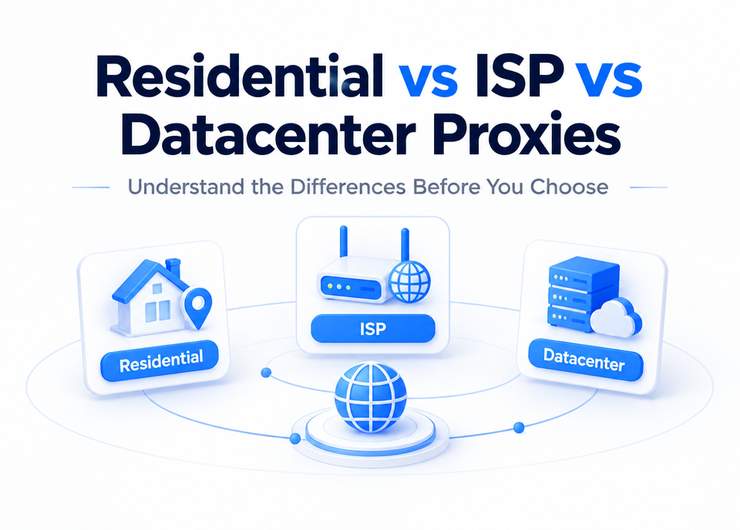
Cross-border e-commerce platforms increasingly distinguish residential IPs from datacenter IPs. Datacenter IP-range identification databases are already very mature. If the business needs to simulate real-user access, residential-type proxies are the safer choice. When testing, additionally verify whether the IP is flagged as "datacenter" by mainstream IP-type lookup databases.
FAQ
Q: How long should cross-border e-commerce proxy IP testing take?
The full cycle: 7-10 days. Days 1-2: intensive testing on connectivity, latency, geographic precision, and protocol compatibility. Days 5-7: continuous stability monitoring. For urgent business, at minimum guarantee a 3-day stability observation window—less than that isn't reliable.
Q: How many concurrent threads is appropriate for testing?
Ramp up in stages: start with 5 concurrent to validate basic functionality, then 20 concurrent to test normal load, finally 50-100 concurrent to stress-test the ceiling. Don't exceed the vendor's concurrency quota, or your test data will be distorted.
Q: Why does geographic precision matter so much for cross-border proxies?
Because cross-border e-commerce platforms return different product info, pricing, and inventory data based on the visiting IP's geolocation. In cross-border product research, imprecise IP geography can mean you collect data from a non-target market—directly impacting product-selection decision accuracy.
Q: HTTP proxy or SOCKS5 for cross-border scenarios?
If collection targets are all web pages and API endpoints, HTTP/HTTPS proxy is sufficient—lower protocol overhead. Only when handling non-standard-port TCP connections or WebSocket long connections do you need SOCKS5. Most cross-border e-commerce scraping is well covered by HTTP/HTTPS.
Q: How do you tell whether a proxy IP is residential or datacenter?
Use IP-type lookup services. The common approach is querying an IP-info API, which returns ASN info and type tag. If the ASN belongs to an ISP, it's typically residential; if it belongs to a cloud provider or hosting company, it's typically datacenter.
Q: What if testing shows the proxy IP is restricted by the target platform?
First determine whether the proxy IP itself is flagged, or whether request frequency or request signatures triggered the restriction. Use the same proxy IP to manually visit the target platform in a browser—if the browser can access but the script can't, the issue is request signatures, not the IP. If the browser is also restricted, the IP is flagged and needs replacing.
Proxy IP testing isn't a one-time acceptance procedure. Cross-border e-commerce platforms' access policies keep evolving, and vendors' node resources change dynamically. Run a full retest quarterly and spot-check core metrics monthly to ensure proxy quality continues to meet business needs.